Having trouble with logging in?
Follow these steps.
STEP 1. Recover your password
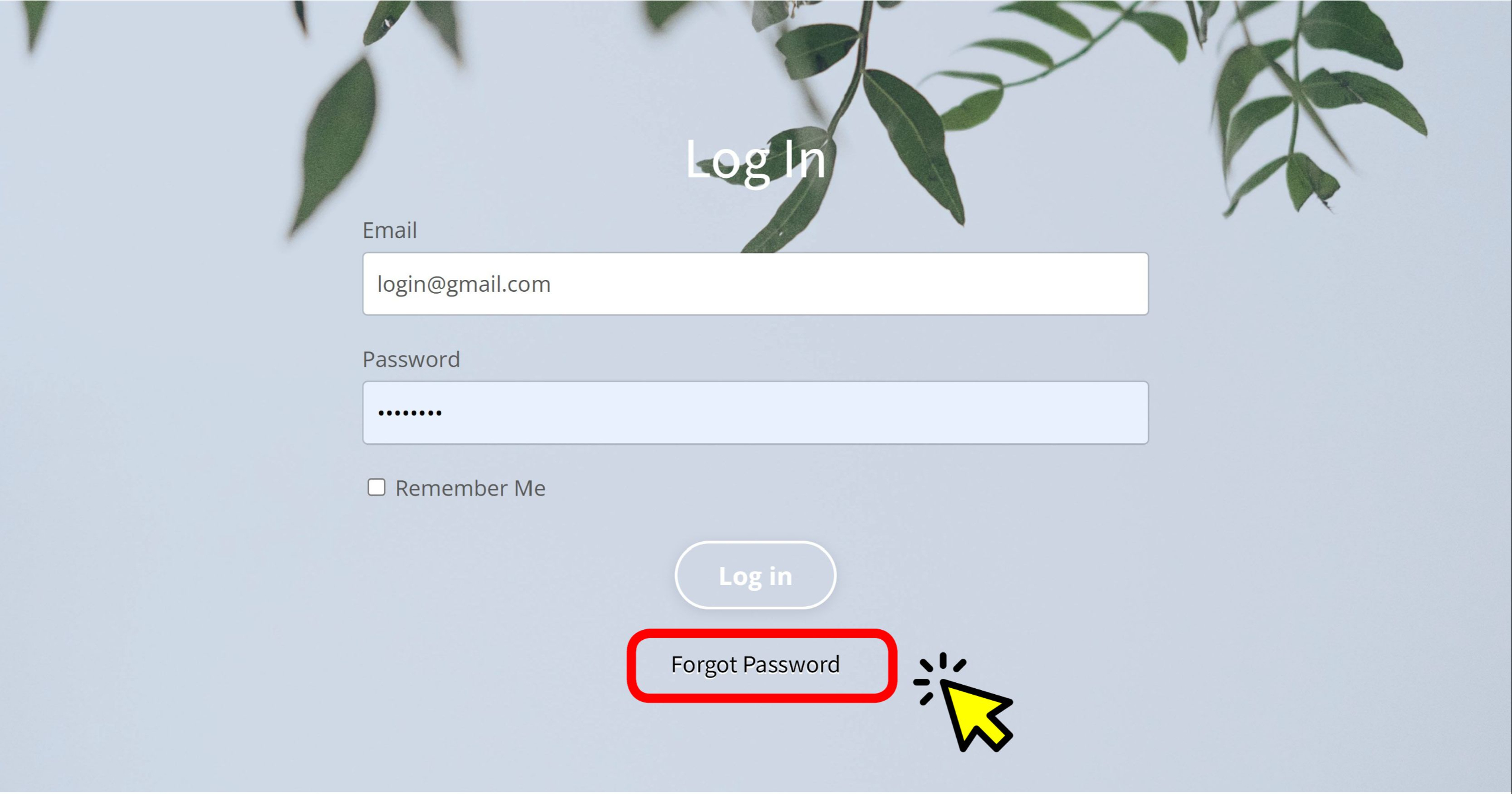
- Click Forgot password at the bottom of the login page
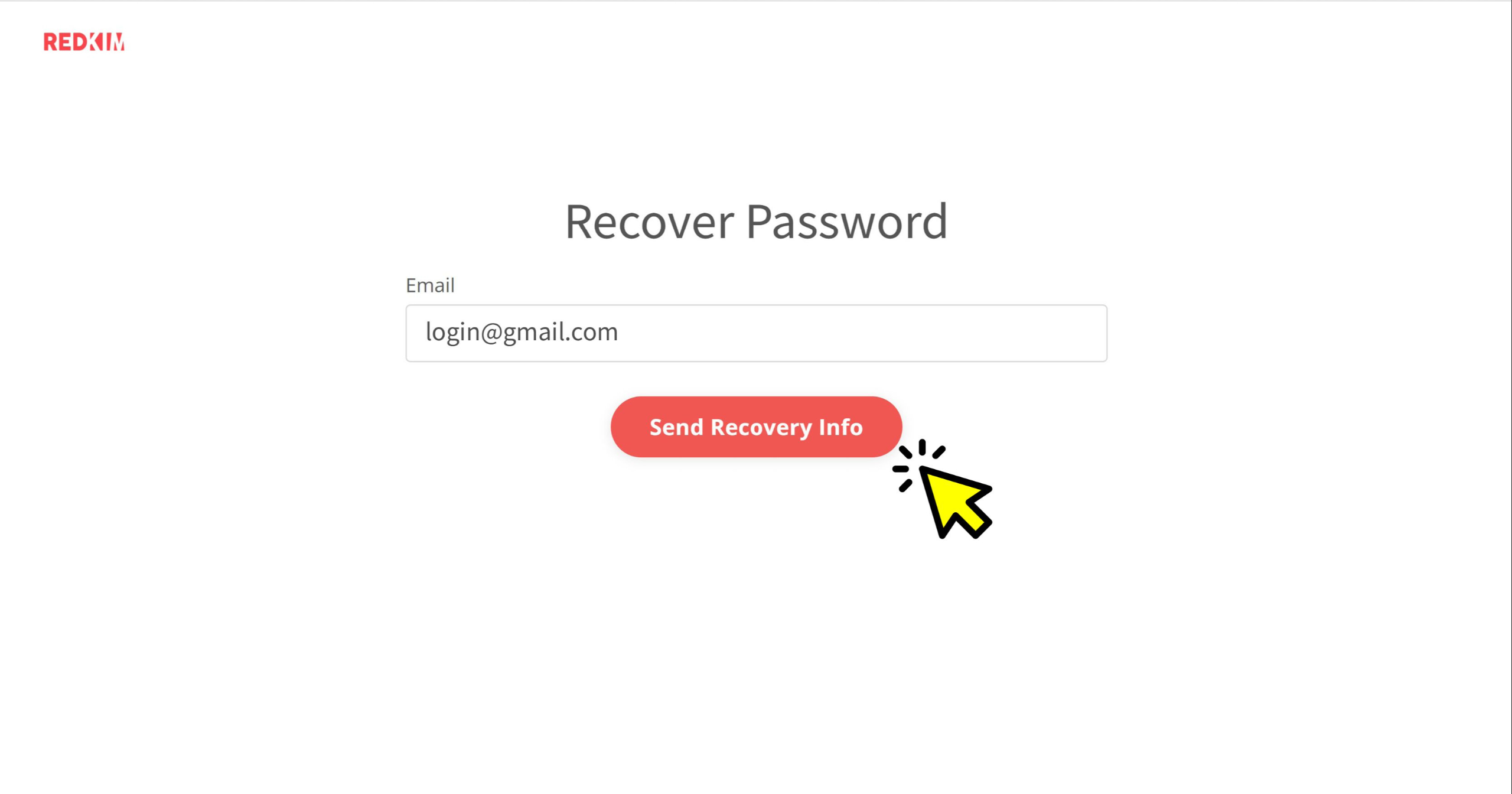
- Enter your email address and press Send Recovery Info
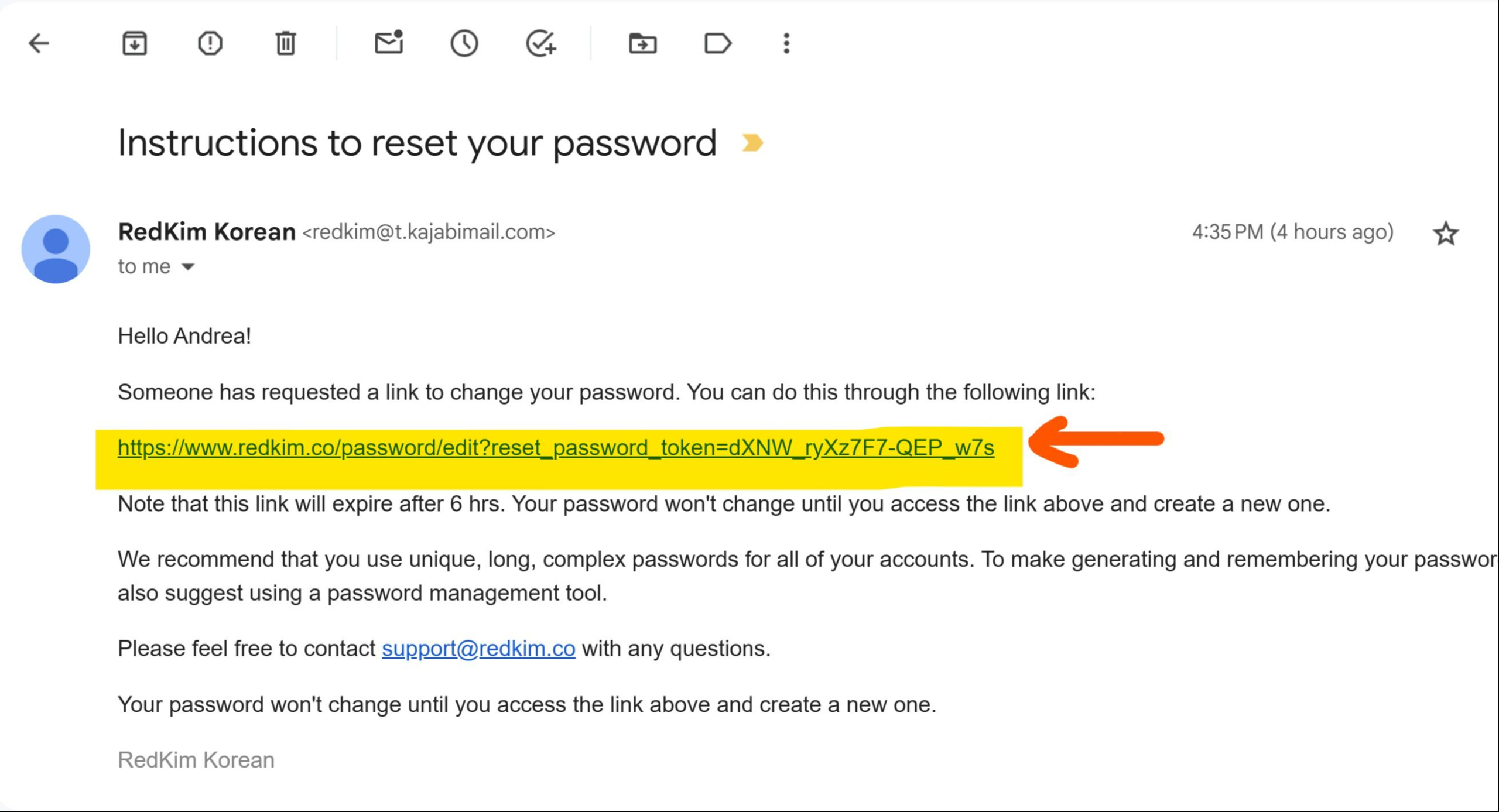
- Go to your email inbox, open the email titled 'Instructions to reset your password'
- Click the link and create a new password
STEP 2. Clear cache & cookies
Go to your browser's Settings, and clear cache and cookies.
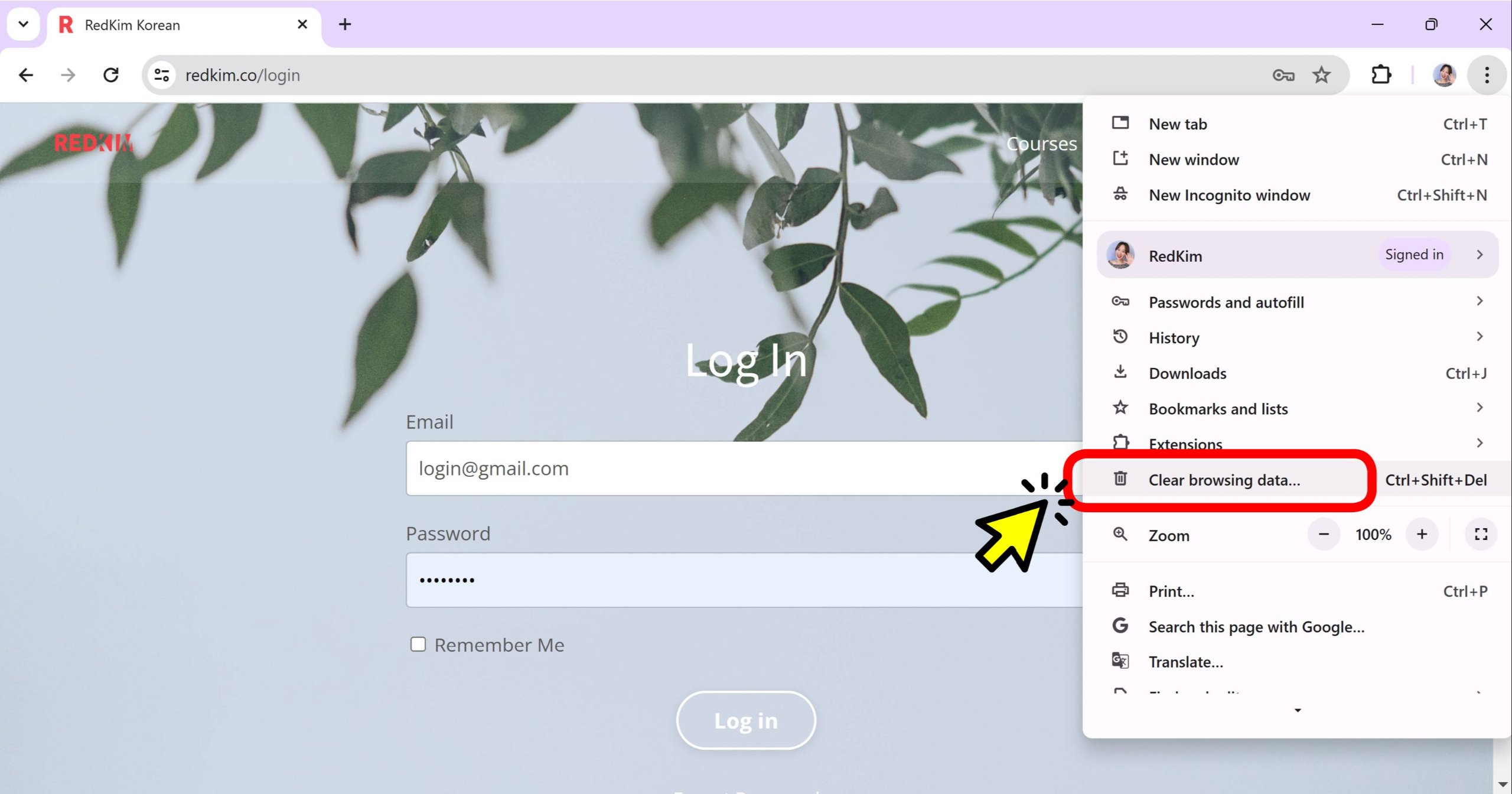
If you're using Chrome,
- At the top right, click More (⋮) < Clear browsing data.
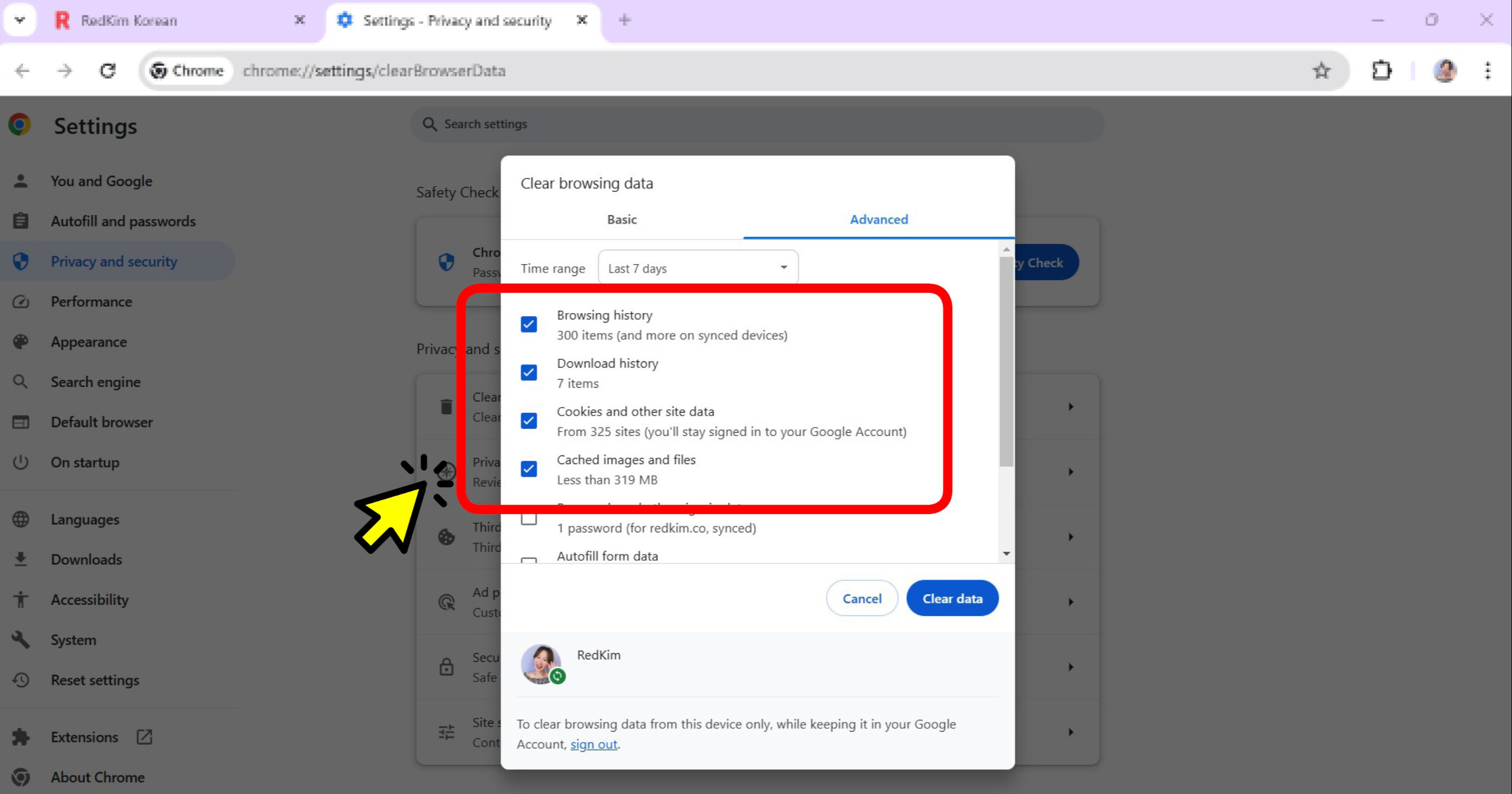
- Choose a time range, like Last hour or All time.
- Select the types of information you want to remove.
- Click Clear data.
- Try logging in again